

This past weekend I attended the NYS Teacher Center Fall Focus Conference. One of the standards for the NYS Teacher Centers included technology. Specifically, it reads: "Professional development promotes technological literacy and facilitates the effective use of all appropriate technology." To that end, we were introduced to several technology initiatives that I would like to share.
The EEZ-Educational Enterprise Zone: The NY Institute of Technology (with Verizon and the Hitachi Foundation) created Educational Enterprise Zones. Content for these programs include cultural institutions, museums, research centers and small businesses. There is a focus on video-conferencing with museums and cultural institutions. More can be found in their EEZBook (although this catalog of best practices is dated 2006).
Safari Live: Our district teachers were recently introduced to Safari Montage, an online streaming video service. Another product available from Safari is called Safari Montage Live. Safari Live is an interactive video-conferencing on-demand desktop product. An excellent solution for professional development, distance learning, and virtual field trips. It should be easier than ever (bye, bye Polycom) to set up virtual field trips with Safari Live and similar tools.
Thinkfinity & ThinkfinityNY: There are lots of free lesson plans and resources in this archive. Consortium partners include EconEd Link, ArtsEdge, Science Net Links, and many others. Especially strong for k-8. There are different portals for educators, parents, students, and afterschool programming. For those teachers who are looking for interactive white board activities, users can search for specific interactive activities using Thinkfinity. Examples include a planet size comparison activity or this factor game.
NY Online Academy: This online academy is geared for teacher professional development. In the most recent catalog, available courses included An Overview of Autism, Grant Writing: Effective Proposal Writing for Educators, and Using Digital Resources to Enhance Reading. Comprehension.
Intel Teach Program: This program provides multiple pathways to support professional growth that include interactive forums, and high interest, visually compelling short courses that explore 21st century learning concepts. Training programs are provided by Intel along with free resources such as the visual ranking tool, seeing reason tool, and the showing evidence tool.
SAS Curriculum Pathways: SAS is the largest privately held software company in the world and they provide free curriculum pathways for core subjects (including Spanish). I've compared this product a bit to Plato and my early impressions is that SAS is easier to navigate for both teachers and students but is not as robust in terms of classroom setup and total number of resources. Nonetheless, Plato is quite expensive and SAS is free and growing. SAS is also piloting software that will give it more Plato-like functionality. One of SAS's most impressive tools is their Writing Reviser. This is an impressive tool that enables students and teachers to analyze writing samples on a variety of criteria include wordiness, prepositions, voice, parallelism, and others.
Search This Site...

Monday, November 16, 2009
NYS Teacher Center Technology Initiatives


Friday, May 8, 2009
Digital Native/Immigrant is the Wrong Analogy
 SOCIAL LEARNING
Those in education or Instructional Technology fields have heard the notion that our students are "digital natives" and the over-40 crowd of teachers are "digital immigrants." I have a slightly different take on this idea. When it comes to technology, I've concluded that our students are "social natives" and "learning immigrants" while teachers are "social immigrants" and "learning natives."
Our student's top priorities in the use of technology is 1)being social and 2)being entertained. Our top priority is learning. It is the marriage of these two priorities that lead to powerful social learning experiences. The power behind web 2.0 tools is the ability to communicate and share with large numbers of people. It is the skilled educator that can get students to take the leap toward using these tools to power their own learning experiences.
Facebook and MySpace are used by students to share pictures, meet girls/boys, leave messages but do those same students know how to use a Ning to develop and share ideas around physics or U.S. History? Students use status updates to share where they are heading on a Friday night but do those students know how to use Twitter to share ideas about an upcoming project? Students use YouTube to be entertained by babies farting baby powder clouds but do students know how to use YouTube to learn, instruct, and share ideas and information that will further their learning? Students use Photobucket to share pictures from the concert they attended but can they create, collect, share meaningful photo essays about important concepts or geographical locations. Students use their cell phones as a text generator but can they use their cell phone to stay organized, collect information, conduct interviews among many other things. Students use their iPod Touch to listen to music and play games but do they use their iPod Touch as a reference tool, organizer, recording device, or photo editor.
It's our job to learn how to use these tools and devices and to teach students to become "social learners," a place where information and connectivity collide.
Wednesday, June 25, 2008
NECC
 I am leaving this Saturday for my first trip to the state of Texas for ISTE's NECC (National Educational Computing Conference). Check back (or better yet...learn how to RSS feed this blog) next week to see what I hope are daily updates. ISTE offers a nice conference planning tool and right now I'm looking at the following sessions (we'll see how many times I change my mind after getting recommendations once I'm in San Antonio. So if you are interested in any of the following topics I should have a report for you next week. And if you have any recommendations for San Antonio, let me know!
| Sunday, June 29 | ||
| 5:45-7:00pm | Opening Keynote [Session; Keynote] Location: HGCC Ballroom C | |
| Monday, June 30 | ||
| 11:00am-12:00pm | Mooovin' To Moodle [Session; BYOL] Location: Grand Hyatt Lone Star Ballroom D | |
| 11:00am-12:00pm | Breathing Life into Your Curriculum: Google Earth Advanced Placemarks [Session; BYOL] Location: Grand Hyatt Lone Star Ballroom B | |
| 12:30-1:30pm | Truly Technologically Integrated Planning for Teaching and Learning [Session; Spotlight] Location: HGCC 001 A | |
| 3:30-4:30pm | Creating Live Web TV for the Classroom for Global Audiences [Session; Spotlight] Location: Grand Hyatt Texas Ballroom D | |
| Tuesday, July 1 | ||
| 11:00am-12:00pm | LOL @ NECC: We’re Baaaaaack! [Session; Spotlight] Location: Grand Hyatt Lone Star Ballroom F | |
| 2:00-3:00pm | Powerful Learning Practice: Creating Online Communities for Professional Development [Session; Spotlight] Location: Grand Hyatt Texas Ballroom D | |
| 3:30-4:30pm | It's in Your Pocket: Teaching Spectacularly with Cell Phones [Session; Spotlight] Location: HGCC Lila Cockrell Theatre | |
| Wednesday, July 2 | ||
| 10:30-11:30am | Del.icio.us Research: Redesign Assignments with Social Bookmarking [Session; BYOL] Location: Grand Hyatt Lone Star Ballroom C | |
| 12:00-1:00pm | Making Microsoft Word Interactive: Using Forms, HyperLinks, and More! [Session; BYOL] Location: Grand Hyatt Lone Star Ballroom D | |
| 1:30-2:30pm | Digital Investigators: Using Digitized Media for Project-Based Learning [Session; BYOL] Location: Grand Hyatt Lone Star Ballroom C | |
| 2:45-4:00pm | Closing Keynote [Session; Keynote] Location: HGCC Ballroom C | |
Tuesday, January 8, 2008
CPS eInstruction-Using Personal Response Systems
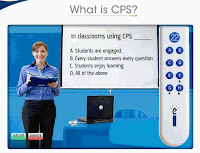 I've just started using one brand of personal response systems made by eInstruction. I spent some time over break creating eInstruction lessons using available test banks for my course and creating surveys to assess opinions and attitudes when I was introducing a unit on psychological therapy. So here are my initial thoughts on using this system.
1. You need to immerse yourself into the software to understand how to create lessons, view reports, and create team activities. It's not as intuitive as it might be but it does seem to hold a lot of possibilities.
2. Students loved using this system. At the beginning of today's class I didn't hand out the remotes so I immediately got questions..."are we using the clickers today?" There was disappointment when I said "no."
3. Immediate feedback is crucial. Students, find out quickly what they don't know and ask questions accordingly. I ran a report after a reading quiz to find out immediately what questions were missed by the most students. This allowed me to spend more time on "difference thresholds" vs. "absolute thresholds" which 100% of the students answered correctly.
4. Group/Game options are fun. But more importantly, they are engaging. Every student was involved and every student was discussing content in meaningful ways
5. There is much more I want to try. I want to do more than yes/no, true/false, and multiple choice questions. I want to use the personal response remotes in creative ways and along side other technologies.
6. There is a lot of time spent creating lessons but once done they can used again and again. But more importantly I think the eInstruction lessons focus my lesson plan on what is important and maintains a focus on the course objectives. I would have to say the weakest part of my lessons over the years have been formative assessments and checks for understanding. I tend to plow through content then administer a final assessment. Not any longer. eInstruction is all about formative assessments and checks for understanding.
7. I think this is one technology where the investment will result in learning and better instruction. This cannot be said for all new technologies (or at least the way some technologies are being used....smart boards as overheads, for example).
Update: I received the following email from a student one week after I began to use the CPS System: "I think the new quiz technique is GREAT and I understand more so far this chapter through the quizzes than I have all year! It's great to see what you think and then find out right there and then if you were correct or not. Seeing the correct answer is great because then I actually encode the information in my brain and retain the information in my long term memory which is controlled by my hippocampus (located in limbic system) :-) YAY!!!! Look at that!! I made a personal connection from memory. Something I tend to use a lot now when speaking to people about forgetting things or remembering things."
Friday, December 14, 2007
Edusim
 Check out the virtual learning worlds developed for interactive whiteboards. As soon as you see a few of these videos I guarantee your mind will jump to all sorts of possibilities....especially for social studies and science! What is edusim? Here is a blurb from the website...but go see for yourself...
Edusim is a free opensource 3D virtual world specifically for your classroom interactive whiteboard! Edusim is an extremely powerful way to engage your students by bringing a 3D virtual environment that allows the direct manipulation of the 3D virtual learning objects directly from the interactive whiteboard surface. The Edusim is extendable allowing multiple classrooms to connect their interactive whiteboards for collaborative learning session!
Wednesday, December 5, 2007
Is It Okay To Be A Technologically Illiterate Teacher?
 This blog post from The Fischbowl was nominated for most influential post for the edublog awards. It challenges anyone who thinks it is ok to say things like "I just don't get computers." So go read the post and come back and leave a comment about tech literacy in Webster.
Sunday, November 11, 2007
MindMeister
If you are familiar with mind-mapping or Inspiration software then you might like MindMeister. It is a simple mind-mapping tool but you have the ability to be collaborative. Many students can work on a MindMeister mind-map all from the convenience of their home computers. Then there are multiple export/sharing options as well. Click & hold the mind-map below to see the entire map. Users have the options to make the maps public, print, export as an image, and more.
Friday, October 19, 2007
Edutopia
 The George Lucas Educational Foundation (GLEF), a nonprofit operating foundation founded was founded by the filmaker in 1991. GLEF utilized media, especially its mulitmedia website, a new magazine, Edutiopia: The New World of Learning, and documentary films, to tell inspiring stories of how interactive technologies are transforming Americas schools.
Saturday, October 13, 2007
Screensaver Disease?
 If you like reading about instructional technology then you might check out From Now On: The Educational Technology Journal by Jamie McKenzie. McKenzie is an international speaker, a graduate of Yale and Rutgers University. He has taught middle school, has been a principal, assistant superintendent, and superintendent.. He warns against "screensaver disease" where schools purchase computers that then sit around, simply showing pretty screen saver images hour after hour. He calls for more instruction on how to use hardware & software in the classroom setting so students can use computers to ask questions and explore questions. However, the site is not that easy to navigate but click on "This Month's Issue" and explore the Subject Index for some very interesting reading.
Sunday, September 23, 2007
iEarn - Making Global Connections
 Started in 1988, iEARN is the worlds' largest non-profit global network that enables teachers and young people to use the internet and other new technologies to collaborate on projects that both enhance learning and make a difference in the world. Create a project or join an active project to work collaboratively with classes and teachers from around the world. There is a buiolding fee for teachers to join and Klem South is leading the way for WCSD. This has Senior Project possibilities as well. Check out some of the current projects like the Green Ribbon School Project or My Most Prized Possession Project. Be creative and start your own project and get other global communities involved.
Monday, September 10, 2007
Open Office
 If you are buying a new computer and thinking you have to buy a Microsoft Office suite to write Word documents or prepare PowerPoint slideshows, then think again. Open Office is an open-source (which means free code) software suite that will allow you to create, save, view, edit .doc files, .ppt files, .xls files, and more. Just go to www.openoffice.org and download. You will need a bit- torrent program like µTorrent to download. You will need to download/install the bit-torrent program first, then go and download open office. The default settings in open office do not save as microsoft files but you can change this default in the settings to always save as .doc, .ppt, .xls, etc. It's also a good response to students who say they don't have Microsoft Office at home. Just copy your program file on a CD and give it to them.
Thursday, August 23, 2007
Education World & Technology Integration
 Looking for new ideas, new software, lesson plans and other educational technology topics? You might want to try Education World's technology integration sub-pages. They have their own tech tips of the week, technology in the classroom links, and an archive of WebQuests. Look around, I'm sure you will find something useful.
Subscribe To Technocoach


 Posts
All Comments
Posts
All Comments
Visitors Since November 2008

